
Master sports analytics in Excel, Power BI & Tableau
Structure, visualise, analyse and communicate data with confidence. Trusted by sport scientists and coaches in elite teams worldwide.
9 courses across 4 tools.
Start with a Level 1 in the tool your club already uses. Every course ships with raw training data, so you are not practising on made-up numbers.
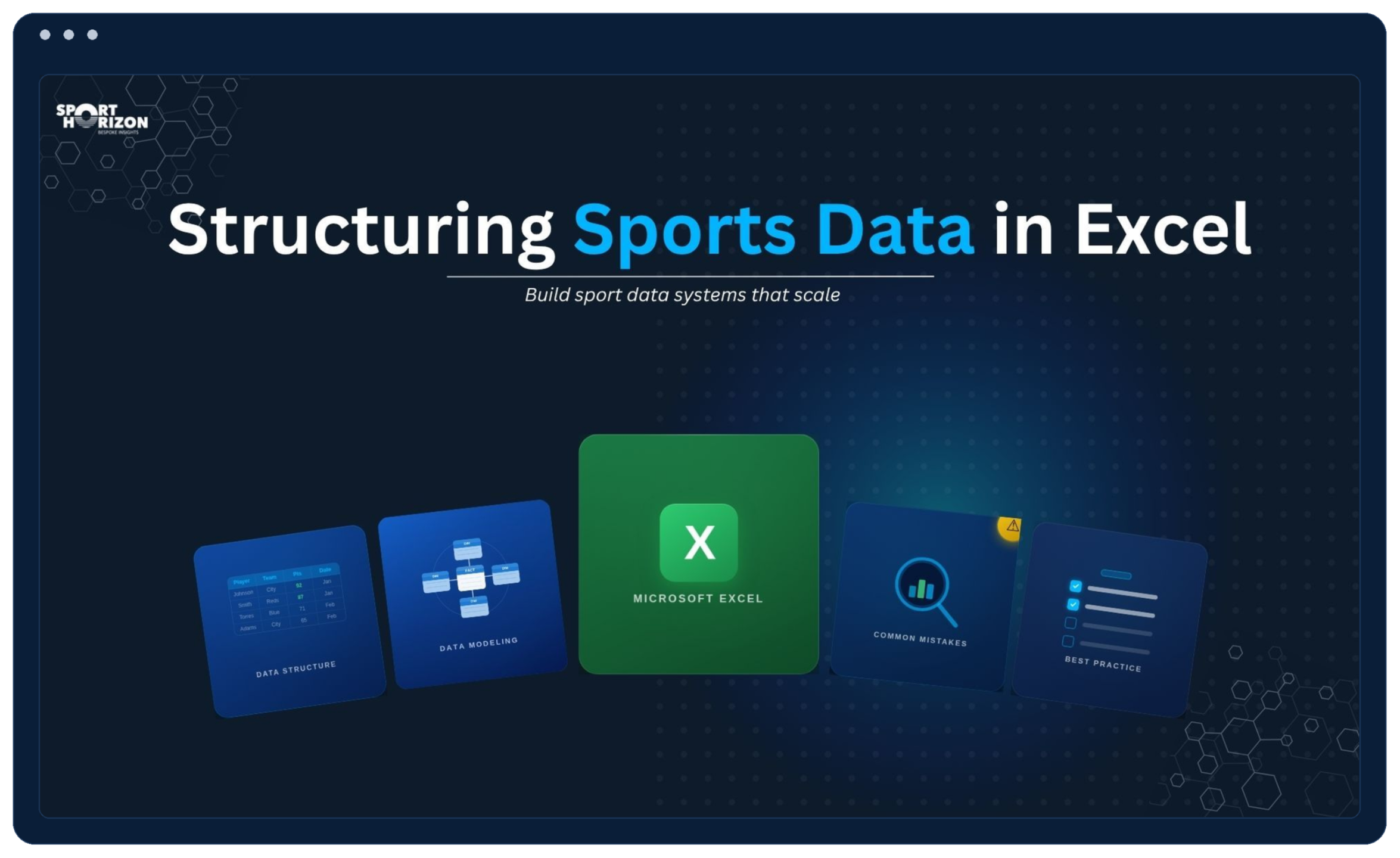
Structuring Sport Data in Excel
Build better sport data structures from the spreadsheet up to make reporting seamless and eliminate hours of manual data cleanup.
What You'll Learn
- ✓ Save hours with better structure of your data
- ✓ Avoid common spreadsheet mistakes that break analysis
- ✓ Build cleaner tables with better IDs and column design
- ✓ Improve reporting readiness from the spreadsheet
Power BI for Sport Scientists – Level 1
A hands-on course designed to teach you how to turn GPS data into clear, actionable reports — even if you’ve never used Power BI before.
You’ll follow a simple, step-by-step process to clean, model, and visualise your data, learning how to create dashboards that make sense to coaches and performance staff.
-
Build GPS load reports
-
Create automated data cleaning processes
-
Add metrics like % match load and intensity
-
Design benchmarks and match-demand visuals
-
Self-paced, lifetime access
By the end, you’ll confidently build Power BI dashboards that bring your team’s data to life.
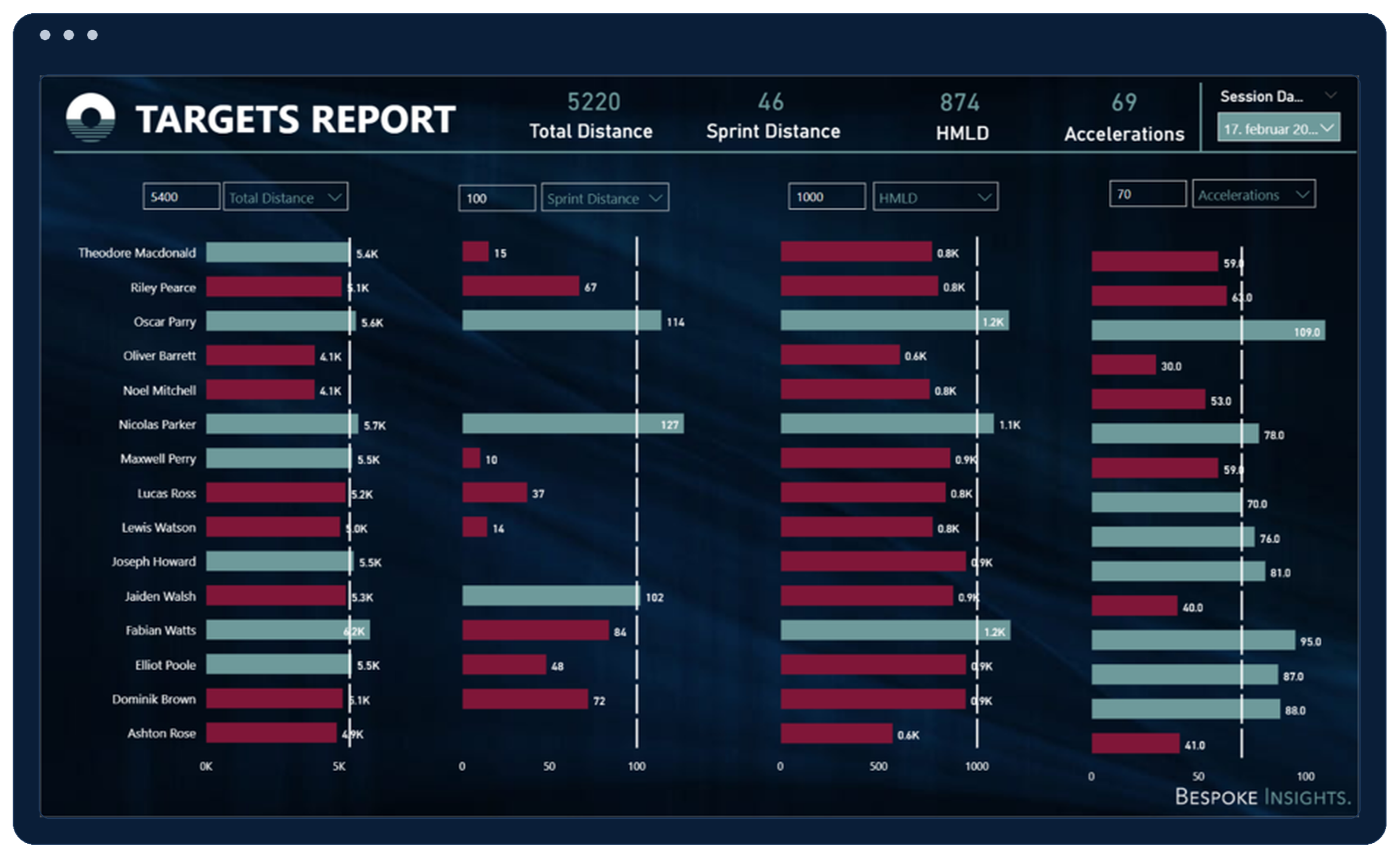
Power BI for Sport Scientists – Level 1
Build 6 professional training reports including session tracking, weekly load, game demands, and benchmarks with dynamic filtering.
What You'll Learn
- ✓ 6 professional training reports
- ✓ Dynamic filtering and metric selection
- ✓ Manipulating and visualising data
- ✓ Publishing & sharing dashboards
Power BI for Sport Scientists – Level 1
A hands-on course designed to teach you how to turn GPS data into clear, actionable reports — even if you’ve never used Power BI before.
You’ll follow a simple, step-by-step process to clean, model, and visualise your data, learning how to create dashboards that make sense to coaches and performance staff.
-
Build GPS load reports
-
Create automated data cleaning processes
-
Add metrics like % match load and intensity
-
Design benchmarks and match-demand visuals
-
Self-paced, lifetime access
By the end, you’ll confidently build Power BI dashboards that bring your team’s data to life.
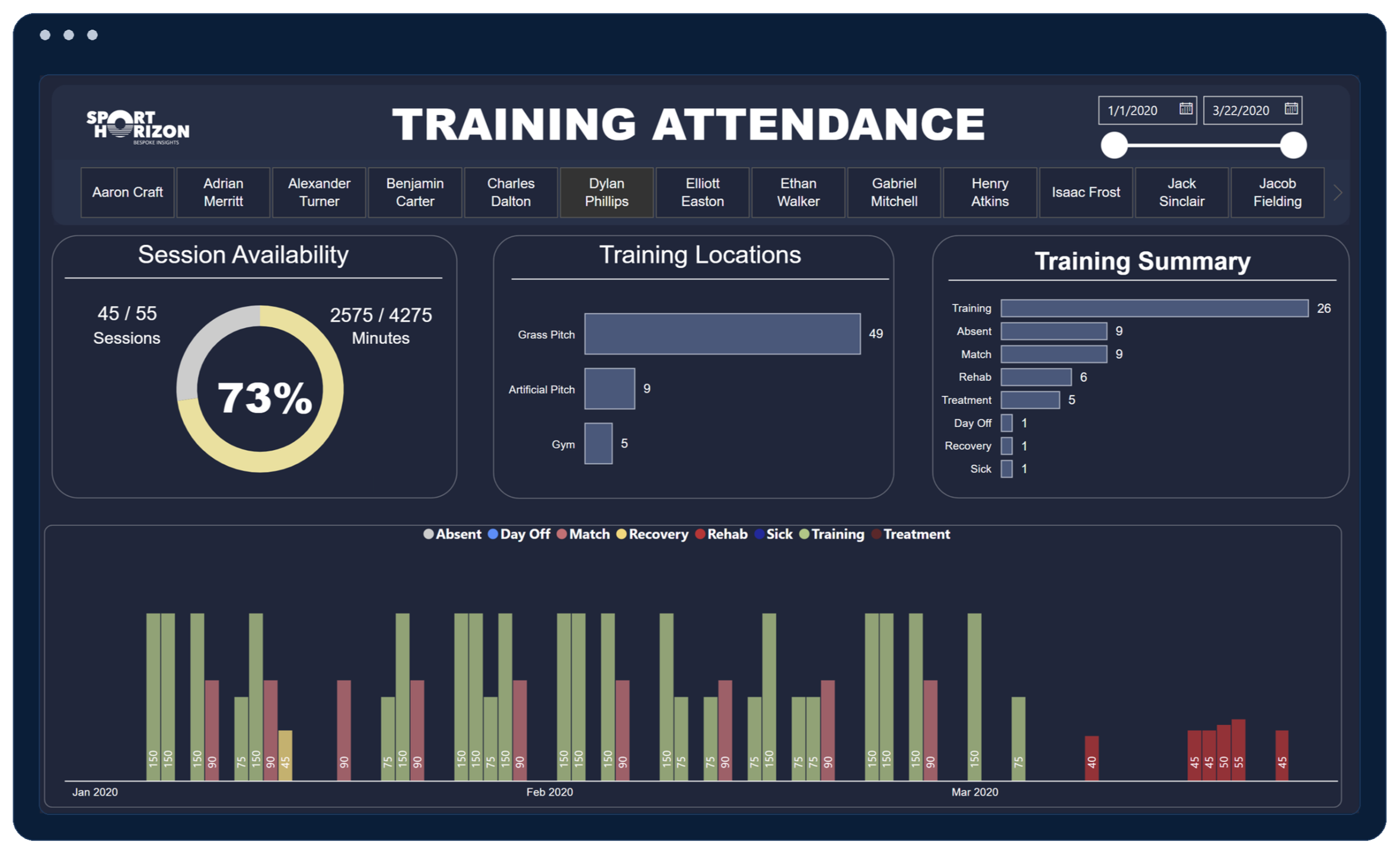
Power BI for Strength & Conditioning – Level 1
Master multiple data sources, Power Query, and DAX formulas to build 6 reports covering CMJ, wellbeing, and GPS tracking.
What You'll Learn
- ✓ 119 step-by-step video guides (11 hrs)
- ✓ 6 S&C reports (CMJ, Wellbeing, GPS)
- ✓ Multiple data sources & Power Query
- ✓ Writing advanced DAX formulas
Power BI for Sport Scientists – Level 1
A hands-on course designed to teach you how to turn GPS data into clear, actionable reports — even if you’ve never used Power BI before.
You’ll follow a simple, step-by-step process to clean, model, and visualise your data, learning how to create dashboards that make sense to coaches and performance staff.
-
Build GPS load reports
-
Create automated data cleaning processes
-
Add metrics like % match load and intensity
-
Design benchmarks and match-demand visuals
-
Self-paced, lifetime access
By the end, you’ll confidently build Power BI dashboards that bring your team’s data to life.
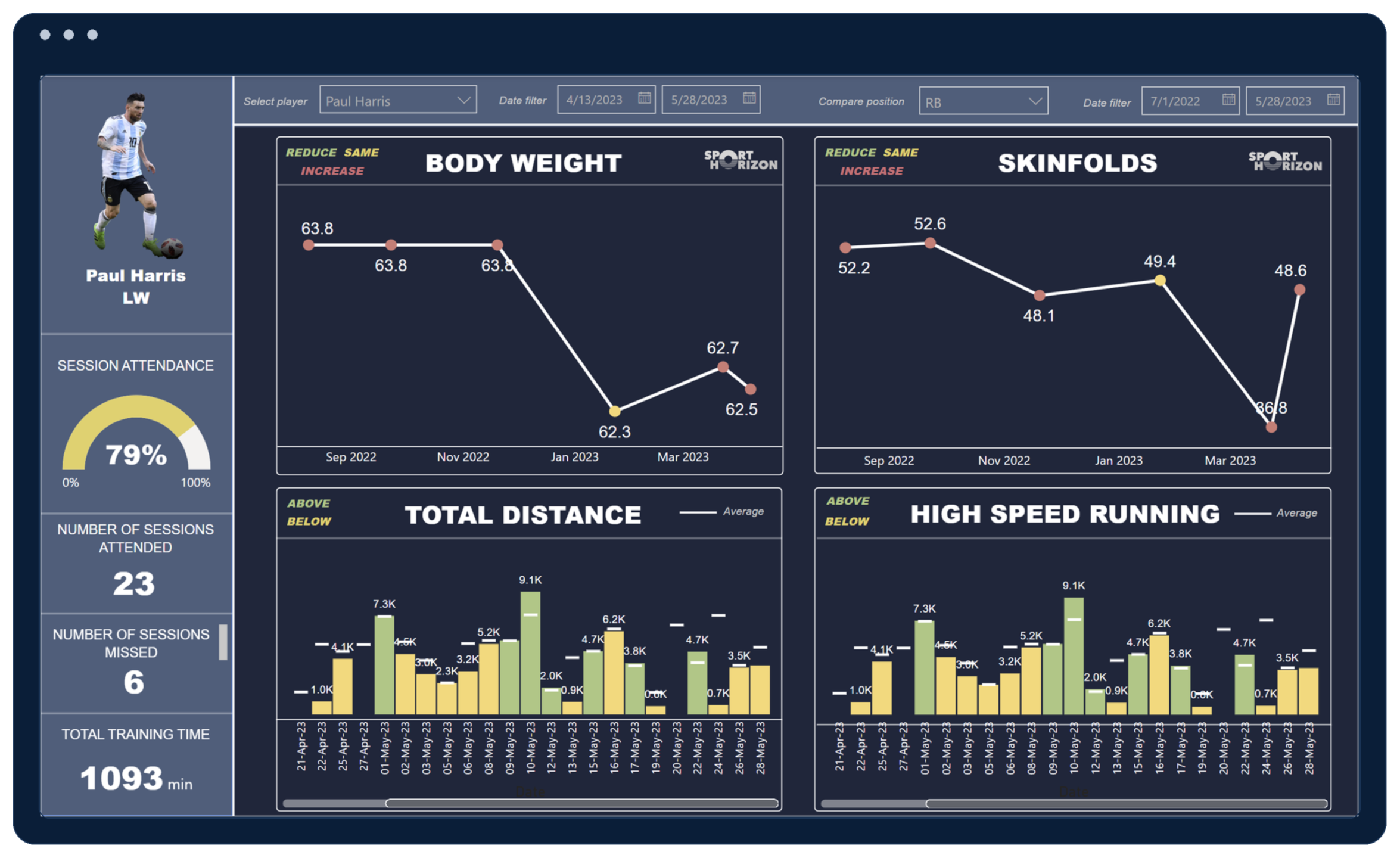
Power BI for Sport Scientists – Level 2
Deep dive with 130 step-by-step video guides, 13 hours of content, 8 reports, free training data, and access to a private community.
What You'll Learn
- ✓ 130 step-by-step video guides (13 hrs)
- ✓ 8 customizable sports analytics reports
- ✓ Private community access & bonus videos
- ✓ Free raw training datasets included
Power BI for Sport Scientists – Level 1
A hands-on course designed to teach you how to turn GPS data into clear, actionable reports — even if you’ve never used Power BI before.
You’ll follow a simple, step-by-step process to clean, model, and visualise your data, learning how to create dashboards that make sense to coaches and performance staff.
-
Build GPS load reports
-
Create automated data cleaning processes
-
Add metrics like % match load and intensity
-
Design benchmarks and match-demand visuals
-
Self-paced, lifetime access
By the end, you’ll confidently build Power BI dashboards that bring your team’s data to life.
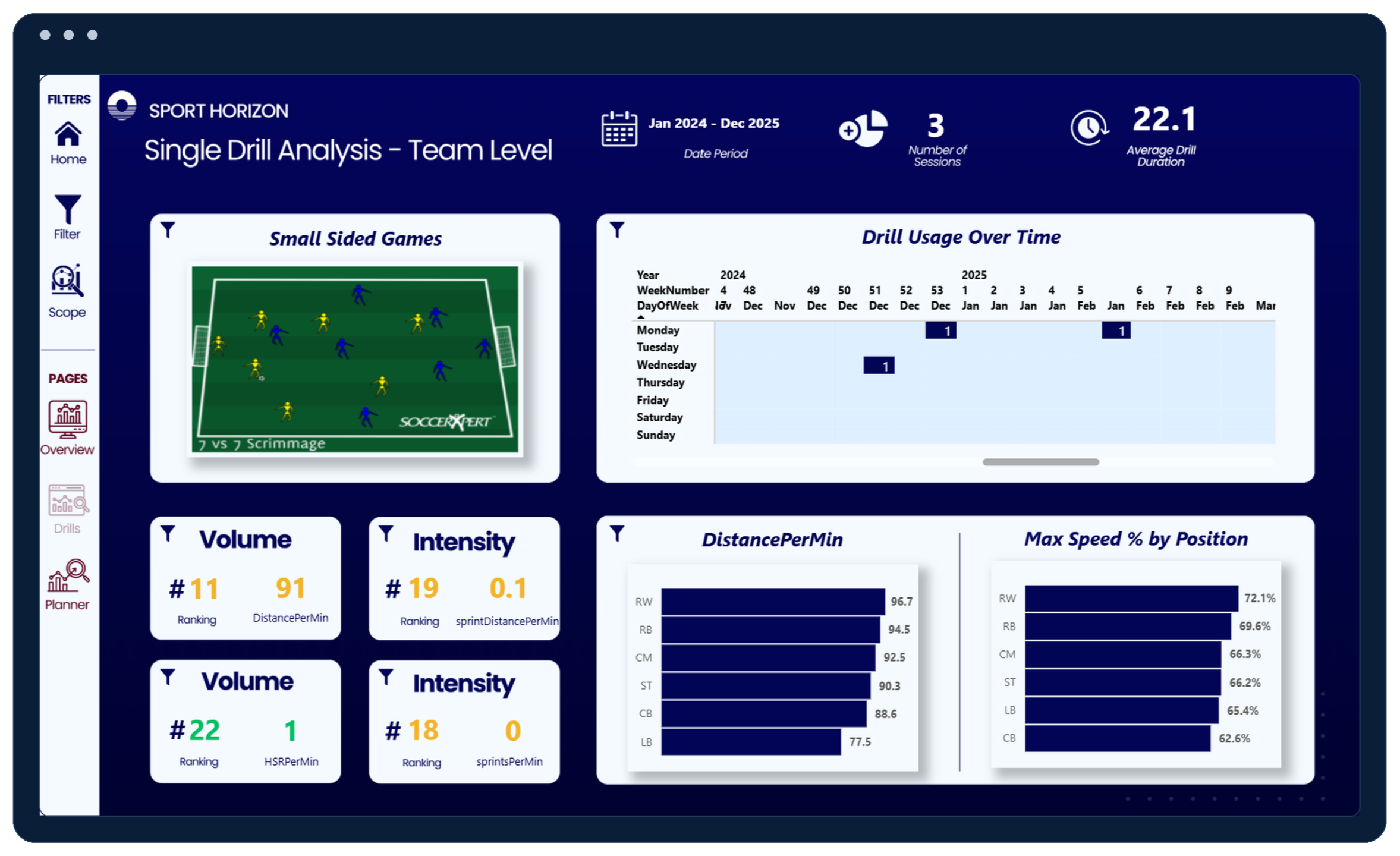
Power BI Session Planner – Level 1
Connect directly to the Sport Horizon Insights API and build dynamic session load planners with advanced drill periodisation analysis.
What You'll Learn
- ✓ Connect Power BI to Sport Horizon Playground API
- ✓ Dynamic Session Load Planner & Drill periodisation
- ✓ Drill load analysis ranking & data modelling
- ✓ Exporting and sharing interactive reports
Power BI for Sport Scientists – Level 1
A hands-on course designed to teach you how to turn GPS data into clear, actionable reports — even if you’ve never used Power BI before.
You’ll follow a simple, step-by-step process to clean, model, and visualise your data, learning how to create dashboards that make sense to coaches and performance staff.
-
Build GPS load reports
-
Create automated data cleaning processes
-
Add metrics like % match load and intensity
-
Design benchmarks and match-demand visuals
-
Self-paced, lifetime access
By the end, you’ll confidently build Power BI dashboards that bring your team’s data to life.
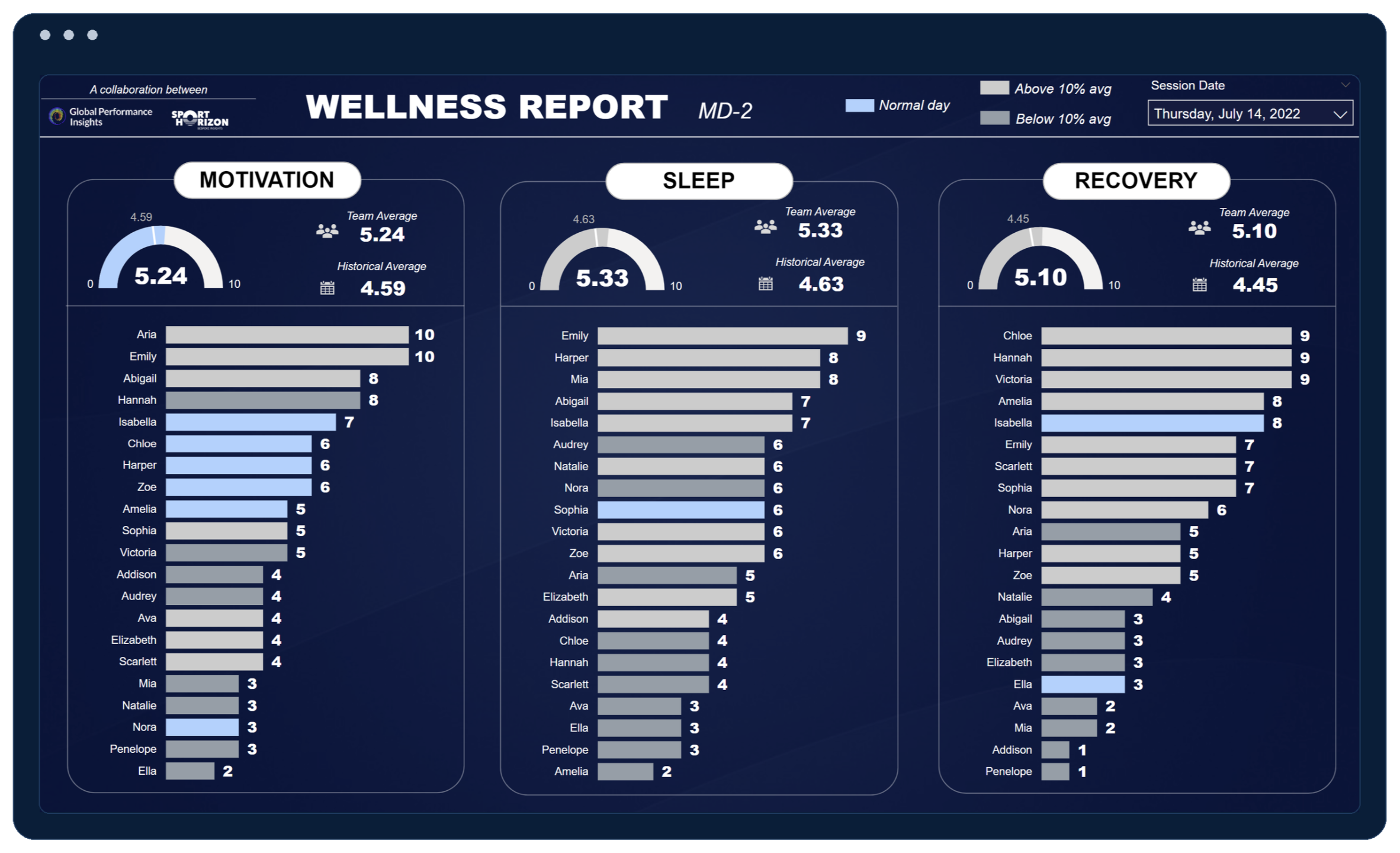
Fundamentals of Load Monitoring w/ Jo Clubb
Bridge the gap between load monitoring theory and real-world execution using integrated Power BI dashboards and proven communication strategies.
What You'll Learn
- ✓ Theory and practical Power BI integration
- ✓ Load, speed, and readiness monitoring theory & practice
- ✓ Subjective & objective response tracking
- ✓ Data communication and team buy-in strategies
Power BI for Sport Scientists – Level 1
A hands-on course designed to teach you how to turn GPS data into clear, actionable reports — even if you’ve never used Power BI before.
You’ll follow a simple, step-by-step process to clean, model, and visualise your data, learning how to create dashboards that make sense to coaches and performance staff.
-
Build GPS load reports
-
Create automated data cleaning processes
-
Add metrics like % match load and intensity
-
Design benchmarks and match-demand visuals
-
Self-paced, lifetime access
By the end, you’ll confidently build Power BI dashboards that bring your team’s data to life.
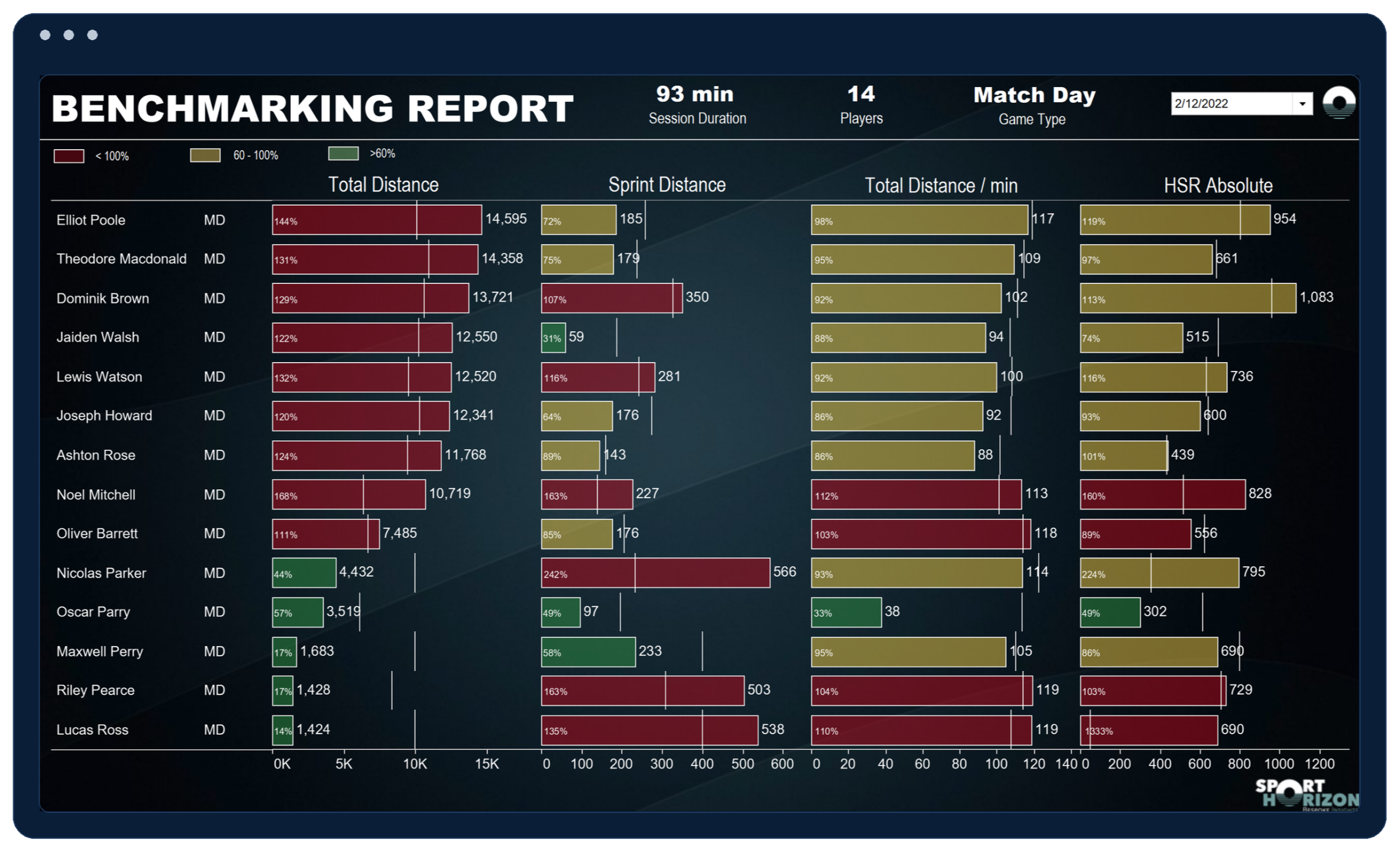
Tableau for Sport Scientists – Level 1
Master GPS data analysis, workload reporting, dynamic benchmarking, and data modelling in Tableau with 35 step-by-step video guides.
What You'll Learn
- ✓ 35 step-by-step video guides & GPS data analysis
- ✓ Session, weekly load & benchmarking reports
- ✓ Target report design & data cleaning/modelling
- ✓ Access to an exclusive private community
Power BI for Sport Scientists – Level 1
A hands-on course designed to teach you how to turn GPS data into clear, actionable reports — even if you’ve never used Power BI before.
You’ll follow a simple, step-by-step process to clean, model, and visualise your data, learning how to create dashboards that make sense to coaches and performance staff.
-
Build GPS load reports
-
Create automated data cleaning processes
-
Add metrics like % match load and intensity
-
Design benchmarks and match-demand visuals
-
Self-paced, lifetime access
By the end, you’ll confidently build Power BI dashboards that bring your team’s data to life.
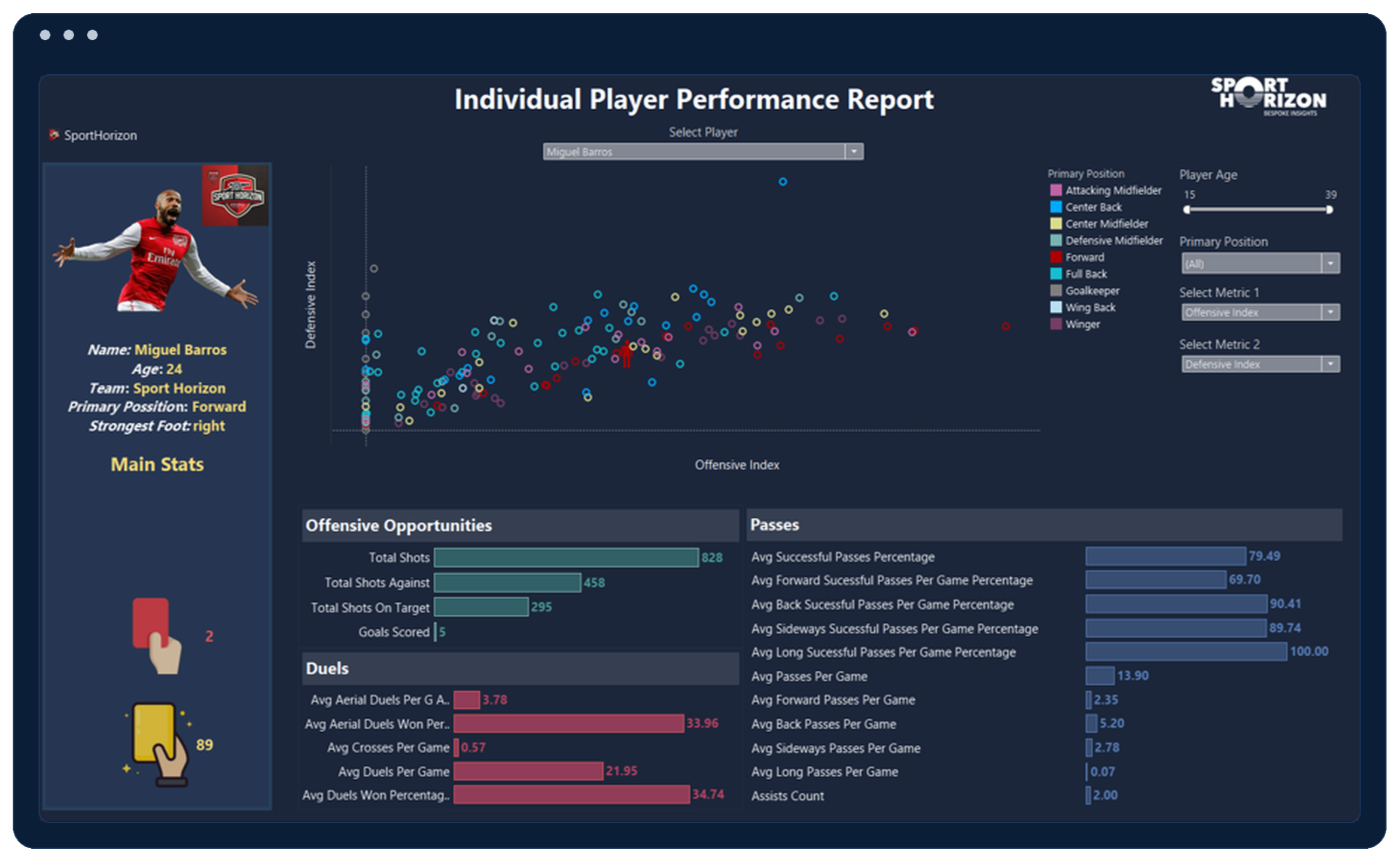
Tableau for Performance Analysts – Level 1
Dive into tactical soccer performance analysis with 50 guided videos covering team comparisons, player evaluations, and data cleaning with lifetime access.
What You'll Learn
- ✓ 50 step-by-step video guides with lifetime access
- ✓ Soccer performance analysis & team comparisons
- ✓ Data cleaning, prep & individual player dashboards
- ✓ Access to an exclusive private community
Power BI for Sport Scientists – Level 1
A hands-on course designed to teach you how to turn GPS data into clear, actionable reports — even if you’ve never used Power BI before.
You’ll follow a simple, step-by-step process to clean, model, and visualise your data, learning how to create dashboards that make sense to coaches and performance staff.
-
Build GPS load reports
-
Create automated data cleaning processes
-
Add metrics like % match load and intensity
-
Design benchmarks and match-demand visuals
-
Self-paced, lifetime access
By the end, you’ll confidently build Power BI dashboards that bring your team’s data to life.
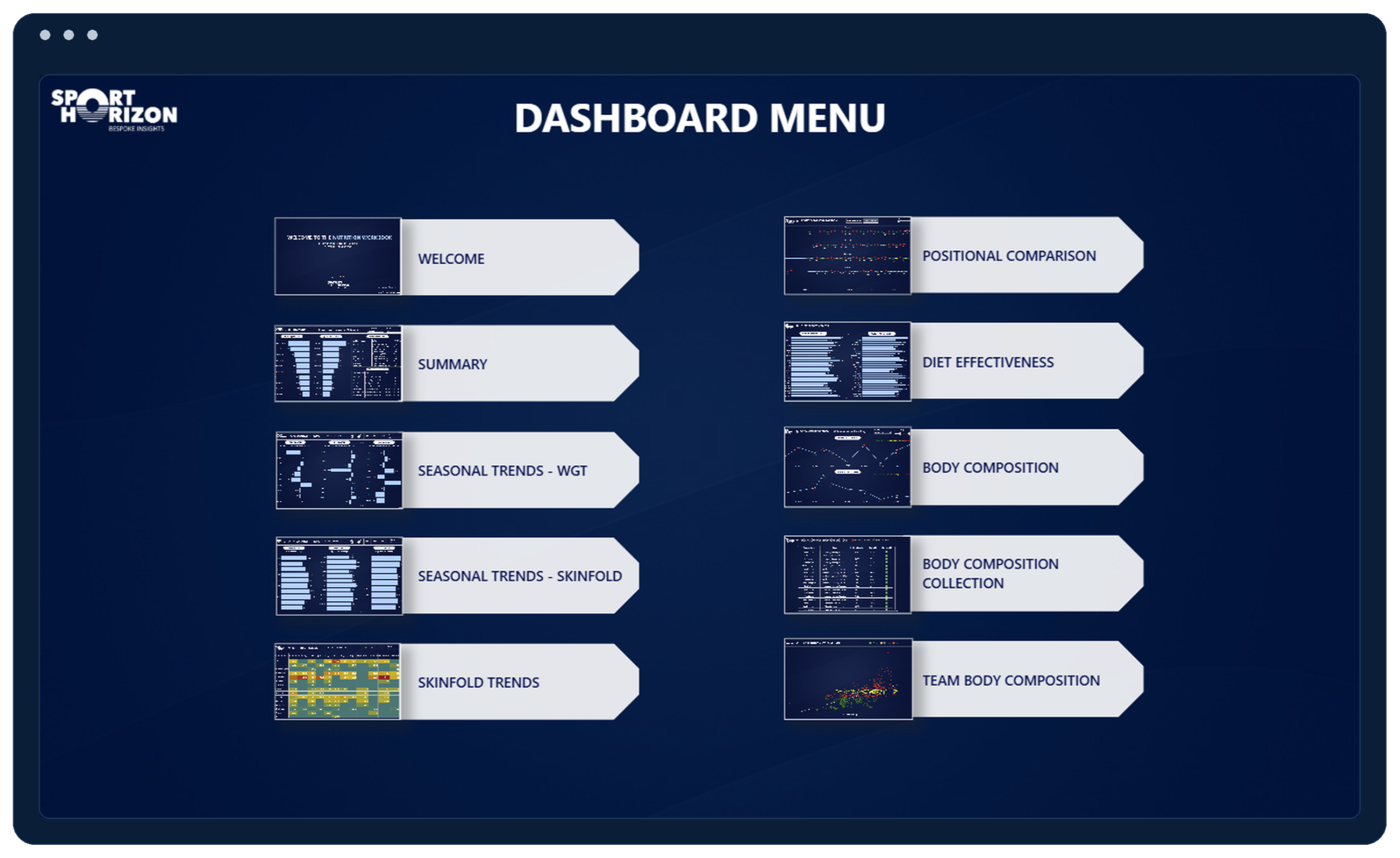
Power BI - 10 Body Comp Dashboards
Ready-to-connect Power BI workbook featuring 10 pages with home navigation, trend tracking, and team/player overviews.
What You'll Learn
- ✓ 10 pages with custom navigation
- ✓ Downloadable Power BI workbook
- ✓ Longitudinal trend analysis views
- ✓ Team & player overviews with mock data
Power BI for Sport Scientists – Level 1
A hands-on course designed to teach you how to turn GPS data into clear, actionable reports — even if you’ve never used Power BI before.
You’ll follow a simple, step-by-step process to clean, model, and visualise your data, learning how to create dashboards that make sense to coaches and performance staff.
-
Build GPS load reports
-
Create automated data cleaning processes
-
Add metrics like % match load and intensity
-
Design benchmarks and match-demand visuals
-
Self-paced, lifetime access
By the end, you’ll confidently build Power BI dashboards that bring your team’s data to life.
Why Practitioners Choose Sport Horizon
Our courses are trusted worldwide for their practical design, clear step-by-step teaching, and focus on real performance insights.
Step-by-Step Lessons
Follow clear, structured modules designed to teach practical, sport-specific applications.
Lifetime Access
Learn at your own pace and revisit lessons anytime — your access never expires.
Built for Practitioners
Designed by sport scientists and coaches — focused on real data and practical outcomes.
Trusted by Elite Teams
Used by professionals in numerous sports, clubs and organisations to optimise workflows.
No Experience Needed
Perfect for beginners and pros — we guide you from setup to confident implementation.
Community & Team Support
Access private community and our team to support your learning journey.
Money-Back Guarantee
Try any course risk-free. Get a full refund within 30 days if you're not satisfied.
Certificate of Completion
Receive an official certificate to validate your learning and new data skills.
What Practitioners Say
Trusted by sport scientists and performance staff working in elite teams and academies worldwide.
“Sport Horizon upgraded our data processing and visualisation systems with exceptional support and guidance. Their work has helped us answer key questions around load monitoring and athlete development — we’ve since continued collaborating to upskill our performance staff.”

“The Power BI for Sport Scientists course was a game-changer. The tailored content and real-life examples provided a comprehensive understanding of how to harness Power BI for performance tracking and decision-making in high-performance sport.”

“Can’t recommend this course enough for practitioners wanting to embed Power BI and Tableau into their daily workflow. It’s practical, sport-specific, and has transformed how I produce training load analysis reports.”

Course Information
Frequently asked questions
You decide! All our courses are completely self-paced — you can start as soon as you enroll and revisit the content anytime. There’s no fixed schedule, and you’ll keep lifetime access to every lesson, file, and update.
Yes, we offer student discount.
Please fill out the form on our Student Discount Page in order to receive your discount.
Sure, we can provide an invoice with your VAT number. Just email us at [email protected] with your details, and we'll send you a customized invoice.
Yes, we offer the option to pay for the courses in instalments. To inquire about setting up an instalment plan, please send an email to [email protected]. Our team will provide you with the details and assist you with the process.
Upon finishing our courses, you will receive an online certificate of completion for each course.
The NSCA (National Strength and Conditioning Association) awards Continuing Education Units (CEUs) to support ongoing professional development for certified coaches and practitioners. Both our "Fundamentals of Load Monitoring" course and our "Power BI for Strength & Conditioning Coaches Level 1" course are approved.
You don't need any prior knowledge or experience of Power BI, Excel or Tableau. You can be a beginner, intermediate, or expert level practitioner. That being said, the Power BI for Sport Scientists Level 2 course does cover the basics quickly, so we do recommend doing any Level 1 course first.
Yes. After enrolling, you’ll automatically receive a tax invoice via email. If your company needs to pay directly, just contact us with your billing details and VAT number — we’ll issue a company invoice and provide payment instructions.
You’re covered by our 100% money-back guarantee. If you’re not satisfied within 30 days, we’ll refund your purchase.
We currently offer subtitles in four different languages: English, Spanish, Italian, and French. If you miss any other languages, please reach out to [email protected].
Do you have a question?